
Start with one place, not a blank book
A digital travel journal keeps places, photos and personal notes together so you can revisit them later. On iPhone, an entry can be as small as one destination, one date and a few words. You do not need to document every hour or publish the trip.
Choose a recent outing you can easily remember. Add the place and the date, select a photo, then write one sentence about what happened outside the frame. That is your first page.
What a digital travel journal entry can look like
WRITING EXAMPLE / FICTIONAL
A morning by the lake
- Place
- Lake Kawaguchi, Japan
- Date
- April 2025 — exact day forgotten
- Photo
- The reflection before the breeze arrived
- Memory
- We bought coffee, found a quiet bench and watched the clouds move off the mountain.
- For next time
- Leave another morning unplanned.
The example keeps the date at the level the writer remembers. It also gives the photo a reason to be there. You can use this format in a notes app, a document or a dedicated journal; the format is more useful than filling every possible field.
Build your journal in five small steps
1. Choose an outing you want to keep
A trip does not have to cross a border. A nearby hill, a lake visit or an afternoon outside can belong in the same journal as a longer journey. Start with one place so you can finish an entry before organizing an entire year.
2. Keep the date honest
Use a specific day when you know it. If you only remember the month or year, record that instead. Wildfolio supports partial dates, so an older memory can sit in your journal without a made-up day.
3. Select a photo with a story behind it
The photograph does not have to be the grandest view. A detail can be a stronger memory cue: the table where you stopped, wet shoes after a walk, or the light through a window. Use photos you have permission to keep and share.
4. Write what the photo cannot say
Try one of these prompts: What made us stop here? What changed during the day? What would I tell myself before coming back? A short answer is usually more personal than a list of attractions.
5. Give the memory a place to live
Save the entry where you will find it again. In Wildfolio, use destination visits for notes and photos, and revisit your journey through the year and place views. A return trip can be a new visit rather than an edit to the previous one.
What Wildfolio adds to the journal
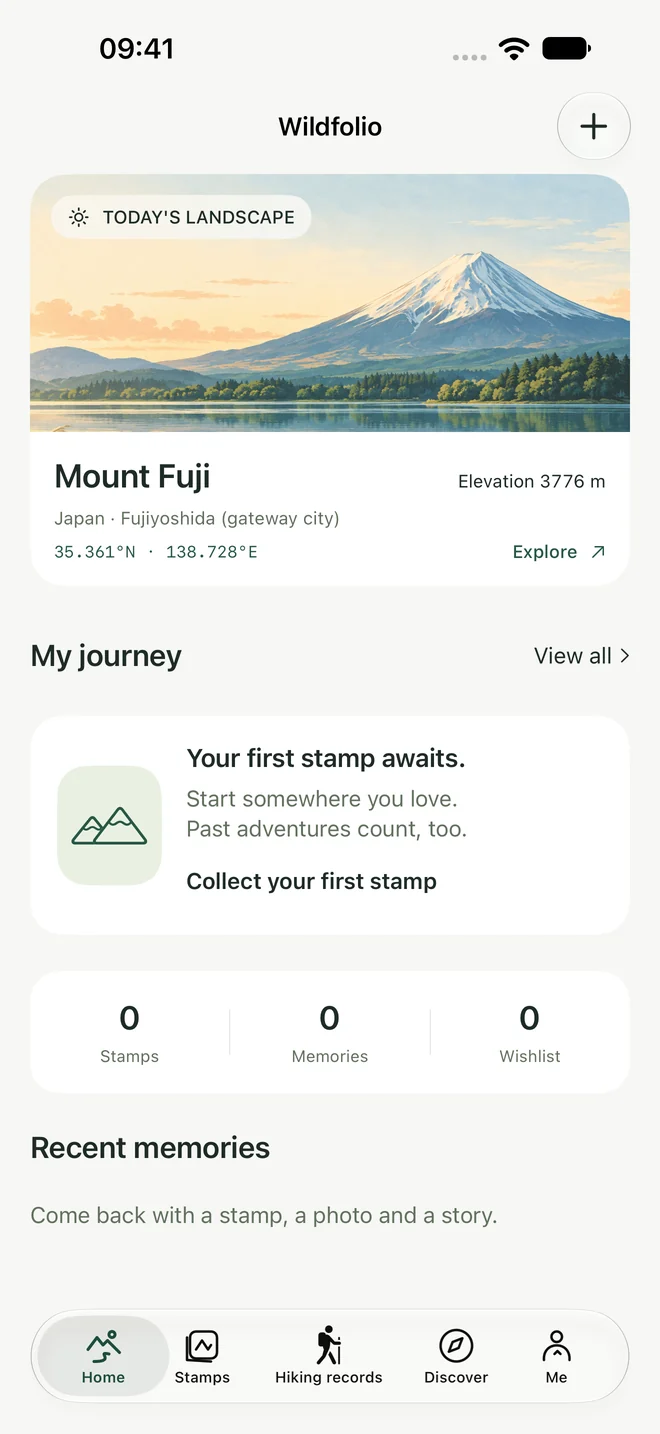
Wildfolio is designed around outdoor memories. Its catalog has 241 destinations across 40 countries, with original stamps and landscape illustrations. You can record your own visits and save places to a wishlist; the artwork provides a visual thread as the journal grows.
- Optional GPS recording: record a hike, climb or trail run when you want a track and activity data. A simple destination visit needs neither GPS nor a route.
- Route photos: place a completed route and its data on your own photograph. Save an editable layout, then export a finished image separately.
- A view across the years: revisit cumulative counts, time and distance, with year, activity and place filters.
- Private notes: keep the personal part of the trip without automatically putting it on an exported picture.
The catalog illustrations are original artwork, not destination photographs. Stamps reflect your own records, rather than verified check-ins. Personal titles and notes keep their original wording when you change the interface language.
Know what you are saving
A finished picture and an editable journal entry serve different purposes. Keeping both makes it easier to share the part you want and return to the original later.
| Where it lives | What it keeps | What to know |
|---|---|---|
| On your iPhone | Saved visits, private notes, completed trips and saved photo layouts. | Local features work without enabling sync. Uninstalling can remove local records. |
| Optional iCloud sync | Completed trips, journal entries, wishlist and saved photo edits. | Enable it yourself. Use the same Apple Account, a network connection and available iCloud space. |
| Photos or Files | A separate copy of an exported image. | Useful for sharing or keeping the finished picture; it is not a complete editable journal backup. |
Sync is not an independent archive. With iCloud sync enabled, deletions can propagate after a successful sync. Keep important finished pictures separately and read the privacy and data-handling details before changing devices or deleting records.
Save photo edits before leaving the editor when that option is available. Unsaved edits can be lost when the app closes. If a trip matters to you, take a moment to confirm that the entry and any finished picture have actually been saved.
Questions before you start
Can I add trips from years ago?
Yes. You can record a past destination visit and use the date, month or year you remember. A new GPS recording is not required.
Do I have to write every day?
No. Record the outings you want to keep. A few thoughtful entries can be easier to revisit than an unfinished daily project.
Is this a shared travel planner or a public feed?
Wildfolio is a personal outdoor journal. It does not provide shared itinerary planning, a public community feed or browser-based journal editing. Exporting a picture lets you decide where to share it.
Will my notes appear in a shared route photo?
Private notes are not automatically included. A visible title, route or photograph can still reveal personal information, so check the final image before you share it.
Want a few more prompts for a day on foot? Use the free hiking journal template, or start with the place and one sentence in Wildfolio.
Start your journal with Wildfolio ↗Free on iPhone · iOS 17+ · Check availability in your App Store region.